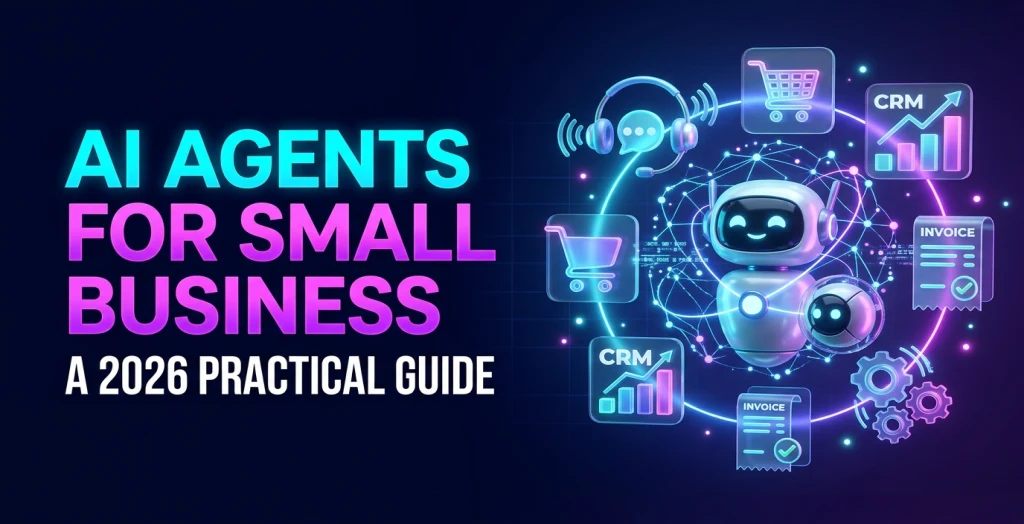
AI Agents for Small Business: A 2026 Practical Guide
Quick Answer
An AI agent is software that uses a language model to plan and carry out multi-step tasks with your tools, such as answering a customer, checking an order and booking a callback. For small businesses the best 2026 starting points are narrow, measurable workflows with a human approving risky steps, not fully autonomous assistants.
Every software vendor now claims to sell an "AI agent" . For a small or mid-sized business that creates two risks: spending money on a demo that never reaches production, or ignoring a technology that could genuinely take hours of repetitive work off your team. This guide explains what agents are, where they already pay off, what they cost and how to launch one without betting the business on it. What is an AI agent, and how is it different from a chatbot? A chatbot answers. An agent acts. Both use a large language model to understand requests, but an agent is also connected to tools (your CRM, calendar, helpdesk, inventory or accounting software) and can decide which steps to take to complete a goal.
Rule-based chatbot AI chatbot AI agent Understands free text Limited Yes Yes Answers from your documents Only scripted answers Yes, with retrieval Yes Takes actions in other systems Only fixed flows Rarely Yes, within permissions Plans multiple steps No No Yes Typical example Website FAQ bot Support assistant that answers from your help centre Assistant that checks an order, issues a return label and updates the ticket A useful way to think about it: an agent is a junior colleague who is very fast, never tired and occasionally confidently wrong. You would give that colleague clear procedures, limited permissions and a supervisor. The same design applies to software. Are small businesses actually using AI in 2026? Adoption is growing but uneven, which is good news if you move carefully. The US Census Bureau's Business Trends and Outlook Survey found that about 19.8% of US firms were using AI to produce goods or services in spring 2026. Large firms were well ahead: roughly 37% of firms with 250 or more employees, compared with under 20% of the smallest firms. In other words, most small businesses have not yet started, and those who get a reliable workflow running now have a head start. At the same time, the hype is real. Gartner predicts that over 40% of agentic AI projects will be cancelled by the end of 2027 because of escalating costs, unclear business value or inadequate risk controls. Gartner also warns about "agent washing" , the rebranding of ordinary chatbots and automation as agents, and estimates that only about 130 of the thousands of vendors claiming agentic AI are genuine. Its advice is to pursue agents only where they deliver clear value, which is exactly the approach that works for small budgets. Which AI agent use cases pay off fastest for small businesses? The best first projects share three traits: they happen often, follow fairly clear rules and have a number you can measure. These are the ones we see succeed most often. Use case What the agent does What you measure Lead qualification Replies to new enquiries in minutes, asks qualifying questions, books calls for good leads and updates the CRM Response time, booked calls, lead-to- meeting rate Customer support triage Answers common questions from your help content, collects order details and routes complex cases to staff First-response time, tickets resolved without staff, satisfaction Appointment booking and reminders Handles booking, rescheduling and reminders over chat, WhatsApp or voice No-show rate, staff hours on the phone Invoice and document processing Extracts data from invoices, purchase orders or forms and posts it to accounting software Hours saved, error rate Sales follow-up Drafts personalised follow-ups from call notes for a salesperson to approve Follow-up speed, reply rate Internal knowledge assistant Answers staff questions from policies, product sheets and past tickets Time to answer, onboarding time
Use case What the agent does What you measure Outbound and inbound calling Voice agents that confirm orders, collect feedback or qualify callers Calls handled, connection and conversion rates Notice what is not on the list: fully autonomous agents that make pricing decisions, approve refunds without limits or give regulated advice. Those can come later, if ever. How much does an AI agent cost to build and run? Costs fall into two buckets. Build cost depends on integrations and testing far more than on the AI itself. A narrow agent that reads your help centre and creates tickets in one helpdesk is a modest project. An agent that reads and writes to your ERP , CRM and payment system, with approvals and audit logs, is a full software project. Most of the effort goes into connecting systems, handling edge cases and testing accuracy on real examples. Running cost includes model usage (charged per amount of text processed), hosting, any vector database for document search, and monitoring. For low and medium volumes these costs are usually modest compared with staff time, but they scale with usage, so model your expected volume before launch. As with any software, the cost drivers are features and integrations. Our guide to how app features drive development cost explains the hour-based method we also use for AI projects. Should you buy an off-the-shelf agent or build your own? Many tools you already pay for (helpdesks, CRMs, e-commerce platforms) now include AI assistants. For common, generic tasks, switching those on is often the quickest win. A custom agent makes sense when the workflow crosses several systems, depends on your own data or is a source of competitive advantage. Situation Buy or switch on Build or customise Generic FAQ answers inside one helpdesk ✓ Workflow spans CRM, calendar, billing and WhatsApp ✓ Answers must come from your own documents and data Sometimes ✓ Strict data residency or audit requirements Check the vendor carefully ✓ Need voice calls in regional languages or specific accents Rarely available ✓ Very small volume, low risk ✓ A common middle path is to start with the built-in assistant to prove demand, then build a custom agent for the workflows where the off-the-shelf tool hits its limits. Whichever route you take, keep ownership of your knowledge content and data so you can move later.
What are the risks, and how do you control them? Wrong answers Language models can produce plausible but wrong output. Ground answers in your own approved content (retrieval- augmented generation), test against a set of real questions with known answers, and have the agent say "I'll pass this to a colleague" when it is unsure. Unsafe actions Give the agent the minimum permissions it needs. Read-only access is the default; write access only for specific actions, with limits (for example, refunds up to a set amount) and human approval above them. Data protection Know what personal data the agent sees, where it is processed and how long it is kept. In India the Digital Personal Data Protection framework sets obligations on consent and purpose; in Europe GDPR applies. Use providers that do not train on your data, and log every action for review. Governance The US National Institute of Standards and Technology's AI Risk Management Framework is a free, practical structure for thinking about these risks: map the use, measure performance, manage the risks and govern the whole process. Small businesses do not need the full framework, but its checklist of questions is a useful sanity check. Lock-in Open standards help. The Model Context Protocol has become a common way to connect AI assistants to tools and data, which makes it easier to change model providers later without rebuilding every integration. How do you launch your first AI agent? A five-step plan Pick one workflow and one number. For example, "reply to every new enquiry within five minutes" or "cut invoice data entry time by half" . Write down today's baseline. Map the steps and the exceptions. List what a good employee does, which systems they touch and when they ask for help. Those exceptions become the agent's hand-off rules. Prepare the knowledge. Clean up FAQs, policies and product information. An agent is only as accurate as the content it draws on. Build a pilot with a human in the loop. For the first weeks, have staff approve the agent's actions or drafts. Log everything and review mistakes weekly. Measure, then expand or stop. After four to eight weeks compare the number with the baseline. If it improved and error rates are acceptable, reduce approvals for low-risk actions and add the next workflow. If it did not, stop and keep what you learned. Checklist: questions to ask an AI development partner Which model providers do you work with, and can we switch later? Where will our data be processed and stored, and is it used for training? How will you test accuracy before launch, and what accuracy is acceptable? What can the agent do without approval, and how are limits enforced? How are actions logged, and who can review them? What are the expected monthly running costs at our volume? Who owns the prompts, code and integrations? 4. • •
How does WebMantra help businesses with AI? WebMantra has built software since 2011 and develops its own AI products, including an AI Calling System for automated inbound and outbound calls. We design and build agents, chatbots, document-processing pipelines and AI features inside web and mobile apps, connected to the tools you already use. Our approach is deliberately cautious: one workflow, one measurable target, a human in the loop and a review after the pilot. Explore our AI development services or our broader AI and machine learning development work, and bring us the workflow that costs your team the most hours. Key takeaways An agent differs from a chatbot because it can take actions in your systems, not just reply. Gartner expects over 40% of agentic AI projects to be cancelled by the end of 2027, mostly due to cost and unclear value; start narrow. Good first use cases are repetitive, rule-based and measurable: lead qualification, support triage, appointment booking, document extraction. Keep a human in the loop for payments, refunds, legal or medical advice and anything irreversible. Measure one business number before and after (response time, hours saved, conversion) to decide whether to scale.
Frequently Asked Questions
What is the difference between an AI chatbot and an AI agent?
A chatbot answers questions in a conversation. An AI agent can also take actions: look up a record, update a CRM, send an email or book an appointment, choosing the steps itself within the permissions you give it.
How much does an AI agent cost for a small business?
A focused agent connected to one or two systems is typically a few weeks of development, plus monthly model and hosting costs that scale with usage. The bigger cost driver is integration and testing, not the AI model itself.
Are AI agents safe to use with customer data?
They can be, if you limit what the agent can access, log every action, keep humans approving sensitive steps and follow your data protection obligations, such as India's Digital Personal Data Protection Act or GDPR in Europe.
Which business tasks are best for AI agents?
Repetitive, text-heavy tasks with clear rules: qualifying inbound leads, triaging support tickets, extracting data from invoices, scheduling appointments and drafting first replies for staff to check.
Will AI agents replace my staff?
In small businesses agents mostly take over repetitive steps so staff spend more time on customers and judgement calls. Plan the workflow around people approving and handling exceptions.
How long does it take to launch a first AI agent?
A narrow pilot connected to existing tools can usually be built and tested in four to eight weeks, including time to measure results. • •
Recent Articles